1-Click Installation

Serveur FTB Evolution 2

Enjoy optimized hosting to play FTB Evolution 2 lag-free with your friends.

Ready for the ultimate Minecraft journey? FTB Evolution 2 redefines the classic experience starting high inside the famous FTB Pyramid. Dive into deep oceans, build massive factories, master powerful magic, and conquer outer space. To enjoy seamless multiplayer with your team, host your server on Hosterfy today!

Configuration & Guide
98% of customers are satisfied with our services
McModpack.heroAlt McModpack.heroAlt

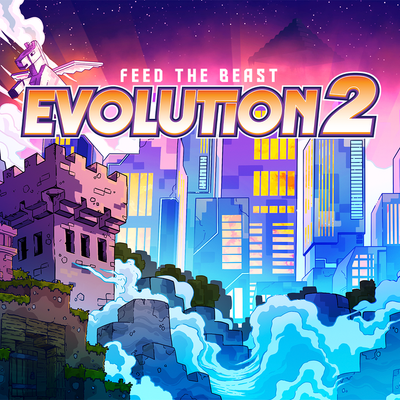
FTB Evolution 2

The adventure continues with FTB Evolution 2, bringing an extraordinary experience for every style of play. Start your quest inside the iconic FTB Pyramid and explore custom landscapes generated by Terralith and Tectonic. With thousands of quests and deep progression, this modpack combines total freedom with rewarding endgame goals.

Explore unexplored depths with underwater biome overhauls. Pilot upgradeable submarines into the Abyssal Trench, collect rare resources, and harness unique bacterial colonies. On the tech side, build massive industrial empires using Applied Energistics 2, Refined Storage, Ender IO, and powerful reactors from Oritech. Automate your production and sustain your factory with Mystical Agriculture and Productive Bees.

If you prefer mystic arts and combat, craft custom spells through Ars Magica Legacy, perform rituals with Witchery, and summon spirits using Occultism. Customize your playstyle with the Puffish Skills tree, wield custom firearms, recruit loyal companions, and launch rockets into space with Stellaris to build orbital stations.

Everything comes together at the FTB Skyline endgame challenge, where feeding vast resources unlocks ultimate rewards. To experience this massive modpack smoothly with friends and climb the leaderboards, host your server on Hosterfy for top-tier performance and zero lag!

📖 Installation Guide & Configuration

How to easily install and configure FTB Evolution 2 on your server and computer.

1. Player Side (your computer)

1

Install a Modded Launcher

Download and install a compatible launcher such as the CurseForge App, Modrinth Launcher, or Prism Launcher.

2

Download the Modpack

Search for FTB Evolution 2 in the launcher catalogue and click "Install". The launcher will automatically download all necessary mods.

3

Adjust Allocated RAM (optional)

In your launcher settings, allocate at least 6 GB to 8 GB of RAM to ensure smooth gameplay.

2. Server Side (Hosterfy hosting)

1

1-Click Installation

In your Hosterfy administration panel, go to the "Quick Install" tab, search for FTB Evolution 2, and validate the automatic installation.

2

Start the Server

Start the server from your game console. The panel will automatically initialize all modpack files.

3

Connect and Play

Copy your server IP address from the Hosterfy panel, add it to your game's multiplayer list, and connect.

The success of your project, our priority

Our reputation shows everything ! No need to add more!

❓ Frequently Asked Questions (FAQ)

All answers to your questions regarding the hosting of the FTB Evolution 2 modpack

To play FTB Evolution 2 smoothly, we recommend our FyGame Extreme plan equipped with 8 of dedicated RAM. This modpack requires a high-frequency processor (like the Ryzen 9 9950X3D) to quickly load blocks and entities without tick lag.
Installing FTB Evolution 2 is completely automatic and can be done in 1 click from your Hosterfy admin panel. Go to the 'Quick Install' tab, search for the modpack name, click install, then start your server.
On the player side, it is highly recommended to allocate at least 6 GB to 8 GB of RAM in your launcher settings (CurseForge Launcher, Modrinth, etc.) to run FTB Evolution 2. Allocating less memory may cause long loading times and frequent crashes.
Yes, all servers rented from Hosterfy benefit from our Premium and Unlimited Anti-DDoS protection. It instantly filters malicious network traffic targeting your FTB Evolution 2 server port, ensuring the continuity of your gaming sessions without unexpected disconnections.