1-Click Installation

Serveur Better OneBlock [One Block]

Enjoy optimized hosting to play Better OneBlock [One Block] lag-free with your friends.

Discover an enhanced version of the classic Minecraft One Block adventure. Fully optimized with over 45 performance mods, this modpack delivers enriched progression, exciting new phases, and unique features designed for a smooth experience in singleplayer or multiplayer.

Configuration & Guide
98% of customers are satisfied with our services
McModpack.heroAlt McModpack.heroAlt

Better OneBlock [One Block]

The Better OneBlock modpack takes the classic survival concept on a single block to the next level. You start your journey isolated on a single grass block, and breaking it continuously unlocks new phases and resources. Designed for a clean and hassle-free experience, it avoids heavy structure mods, ensuring top-tier stability and quick updates.
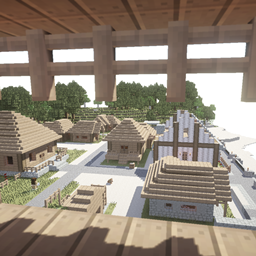
When it comes to performance, this pack is exceptionally lightweight. Packed with over 45 optimization mods and carefully chosen additions like Chipped, it runs super smoothly even on lower-end PCs. Smart gameplay tweaks are also included, such as modified item durability to make gold tools genuinely useful while reducing tedious repair grind.



Exciting updates and planned features constantly expand the game, including a Deep Dark phase, complete overhauls for the Nether and End, custom bosses, and random chest events. Whether you prefer solo survival or playing with friends, every block broken brings fresh surprises.

To get the best out of this modpack in multiplayer without any lag, hosting your Minecraft server with Hosterfy is the perfect choice. Their high-performance servers are ideal for running Better OneBlock seamlessly for you and your friends.

📖 Installation Guide & Configuration

How to easily install and configure Better OneBlock [One Block] on your server and computer.

1. Player Side (your computer)

1

Install a Modded Launcher

Download and install a compatible launcher such as the CurseForge App, Modrinth Launcher, or Prism Launcher.

2

Download the Modpack

Search for Better OneBlock [One Block] in the launcher catalogue and click "Install". The launcher will automatically download all necessary mods.

3

Adjust Allocated RAM (optional)

In your launcher settings, allocate at least 6 GB to 8 GB of RAM to ensure smooth gameplay.

2. Server Side (Hosterfy hosting)

1

1-Click Installation

In your Hosterfy administration panel, go to the "Quick Install" tab, search for Better OneBlock [One Block], and validate the automatic installation.

2

Start the Server

Start the server from your game console. The panel will automatically initialize all modpack files.

3

Connect and Play

Copy your server IP address from the Hosterfy panel, add it to your game's multiplayer list, and connect.

The success of your project, our priority

Our reputation shows everything ! No need to add more!

❓ Frequently Asked Questions (FAQ)

All answers to your questions regarding the hosting of the Better OneBlock [One Block] modpack

To play Better OneBlock [One Block] smoothly, we recommend our FyGame Extreme plan equipped with 8 of dedicated RAM. This modpack requires a high-frequency processor (like the Ryzen 9 9950X3D) to quickly load blocks and entities without tick lag.
Installing Better OneBlock [One Block] is completely automatic and can be done in 1 click from your Hosterfy admin panel. Go to the 'Quick Install' tab, search for the modpack name, click install, then start your server.
On the player side, it is highly recommended to allocate at least 6 GB to 8 GB of RAM in your launcher settings (CurseForge Launcher, Modrinth, etc.) to run Better OneBlock [One Block]. Allocating less memory may cause long loading times and frequent crashes.
Yes, all servers rented from Hosterfy benefit from our Premium and Unlimited Anti-DDoS protection. It instantly filters malicious network traffic targeting your Better OneBlock [One Block] server port, ensuring the continuity of your gaming sessions without unexpected disconnections.