1-Click Installation

Serveur Create: New World | A Locked Progression Experience

Enjoy optimized hosting to play Create: New World | A Locked Progression Experience lag-free with your friends.

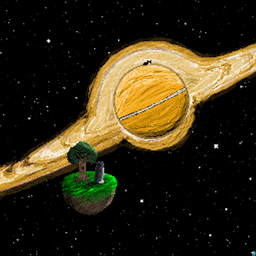
Embark on a unique industrial adventure on planet Earth-43. Automate your resources with the Create mod, unlock advanced tech through a milestone system, and master a custom economy. Perfect for multiplayer, enjoy smooth engineering and exploration when hosting your server on Hosterfy.

Configuration & Guide
98% of customers are satisfied with our services
McModpack.heroAlt McModpack.heroAlt

Create: New World | A Locked Progression Experience

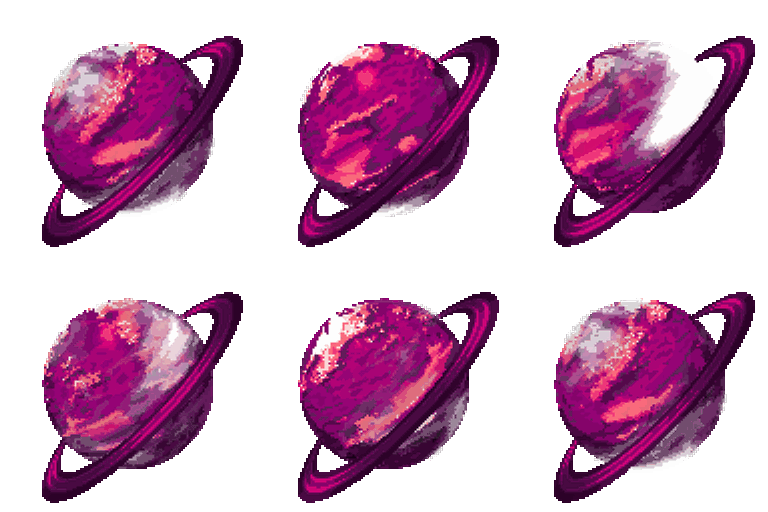
Get ready for an extraordinary engineering adventure! After a crash landing on the mysterious planet Earth-43, your only path to progress relies on mastering automation. This modpack highlights the famous Create mod and its best add-ons to deliver a rich experience focused on technology, industry, and discovery.

At the core of the gameplay lies a rewarding Milestones progression system alongside hundreds of FTB quests to guide you step by step. You will need to build intricate factories, craft unique components using custom recipes, and trade through a fully custom economy system. Beyond industrial production, world exploration plays a huge role thanks to dedicated mods, all backed by top-tier optimization and shader support.
Designed for both solo and multiplayer play, the modpack truly shines when shared with friends. Building massive automated lines and running a thriving server economy requires rock-solid server performance. To ensure a lag-free experience for your team, host your server with Hosterfy and run your Create machinery at full speed!

📖 Installation Guide & Configuration

How to easily install and configure Create: New World | A Locked Progression Experience on your server and computer.

1. Player Side (your computer)

1

Install a Modded Launcher

Download and install a compatible launcher such as the CurseForge App, Modrinth Launcher, or Prism Launcher.

2

Download the Modpack

Search for Create: New World | A Locked Progression Experience in the launcher catalogue and click "Install". The launcher will automatically download all necessary mods.

3

Adjust Allocated RAM (optional)

In your launcher settings, allocate at least 6 GB to 8 GB of RAM to ensure smooth gameplay.

2. Server Side (Hosterfy hosting)

1

1-Click Installation

In your Hosterfy administration panel, go to the "Quick Install" tab, search for Create: New World | A Locked Progression Experience, and validate the automatic installation.

2

Start the Server

Start the server from your game console. The panel will automatically initialize all modpack files.

3

Connect and Play

Copy your server IP address from the Hosterfy panel, add it to your game's multiplayer list, and connect.

The success of your project, our priority

Our reputation shows everything ! No need to add more!

❓ Frequently Asked Questions (FAQ)

All answers to your questions regarding the hosting of the Create: New World | A Locked Progression Experience modpack

To play Create: New World | A Locked Progression Experience smoothly, we recommend our FyGame Extreme plan equipped with 8 of dedicated RAM. This modpack requires a high-frequency processor (like the Ryzen 9 9950X3D) to quickly load blocks and entities without tick lag.
Installing Create: New World | A Locked Progression Experience is completely automatic and can be done in 1 click from your Hosterfy admin panel. Go to the 'Quick Install' tab, search for the modpack name, click install, then start your server.
On the player side, it is highly recommended to allocate at least 6 GB to 8 GB of RAM in your launcher settings (CurseForge Launcher, Modrinth, etc.) to run Create: New World | A Locked Progression Experience. Allocating less memory may cause long loading times and frequent crashes.
Yes, all servers rented from Hosterfy benefit from our Premium and Unlimited Anti-DDoS protection. It instantly filters malicious network traffic targeting your Create: New World | A Locked Progression Experience server port, ensuring the continuity of your gaming sessions without unexpected disconnections.