In this guide, we will see how to change the password on your Hosterfy client space.
Requirements
- Have a customer account on Hosterfy
Change your password
Log in to the customer area
First of all, log in to your customer account on Hosterfy. If you forgot your password, click on "forgot password" on the login page.
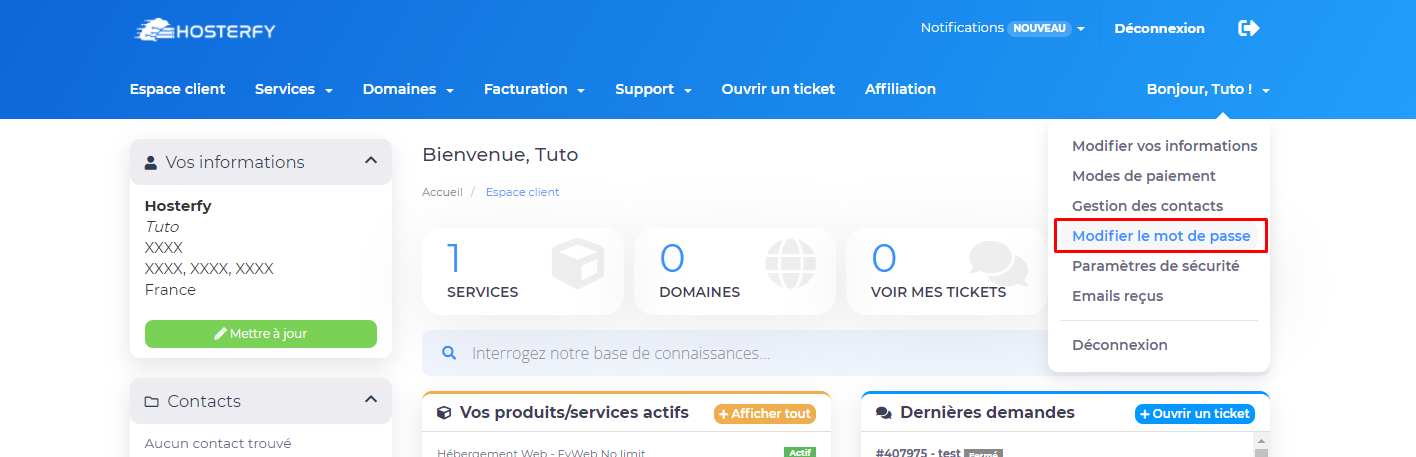
Once logged in, click on the "Change Password" tab located on the top right.
Type your password
On the change password page, you have three fields. In the first one, enter the current password, then in the other two the new password you want. Be careful to copy this one.
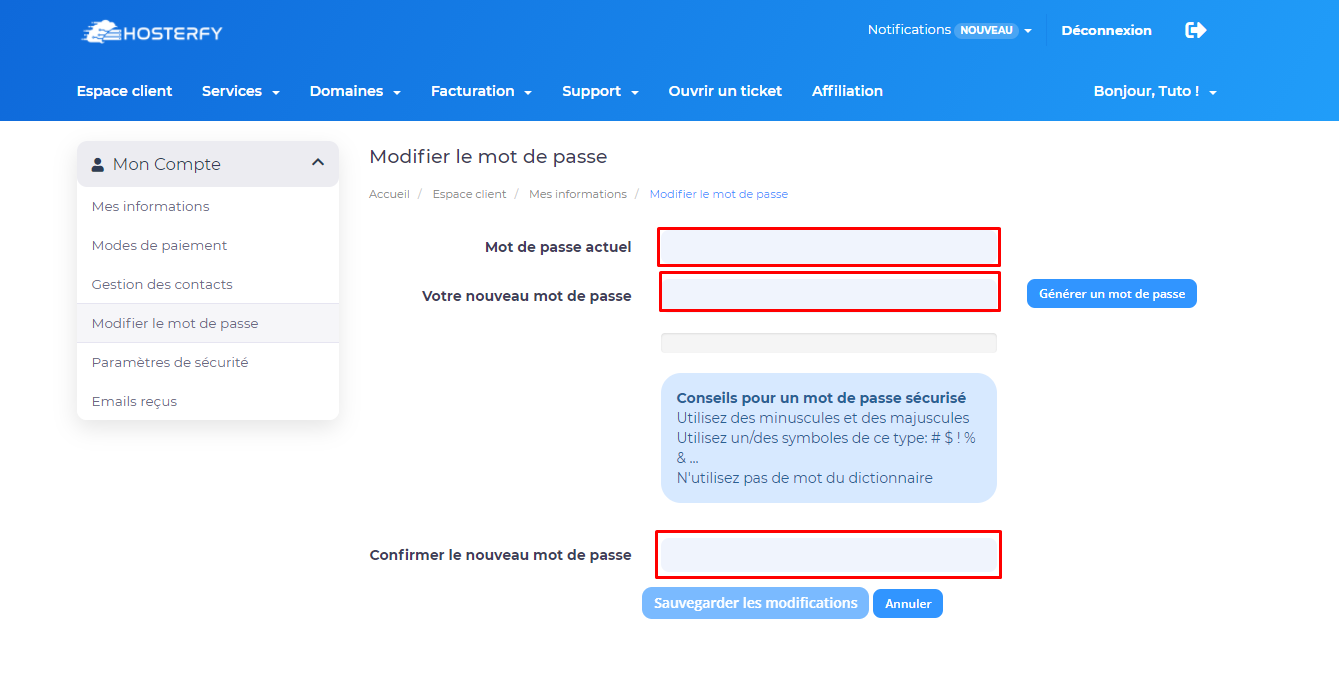
Then click on "Save". You will get a confirmation like this one.

Don't hesitate to join our discord if you encounter a problem !






Post a comment
Comments