In this guide, we will see how to install the DarkRP game mode as well as the DarkRP-Modification addon on your Garry's Mod server via the Hosterfy panel.
Prerequisites
- A high-performance GMod server hosting. Our offers are optimized for DarkRP and include game Anti-DDoS.
Installation
Step 1: Download DarkRP
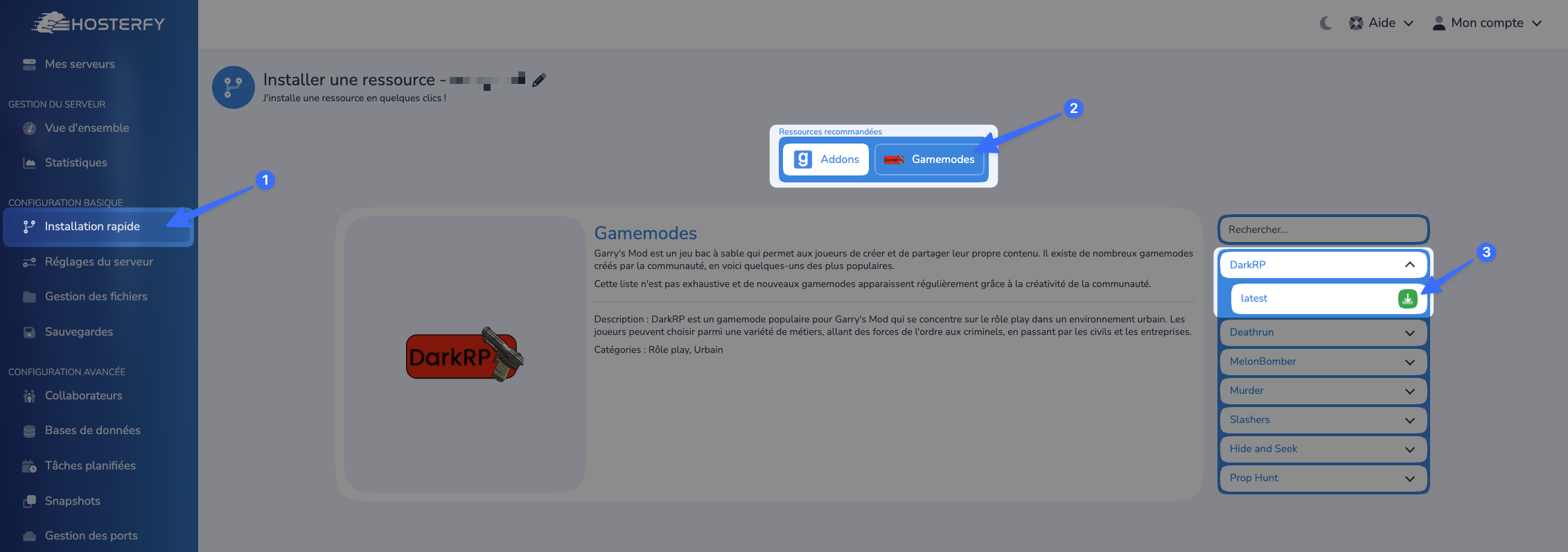
To begin, you will need to go to the Game Panel, then to your server, and finally to the "Quick Installation" page.
Once on the page, simply click on the "Gamemode" tab, then select "DarkRP" from the list to install it.
Next, please go to the "Server Settings" tab to replace the default configured gamemode with the desired one, which is "darkrp".
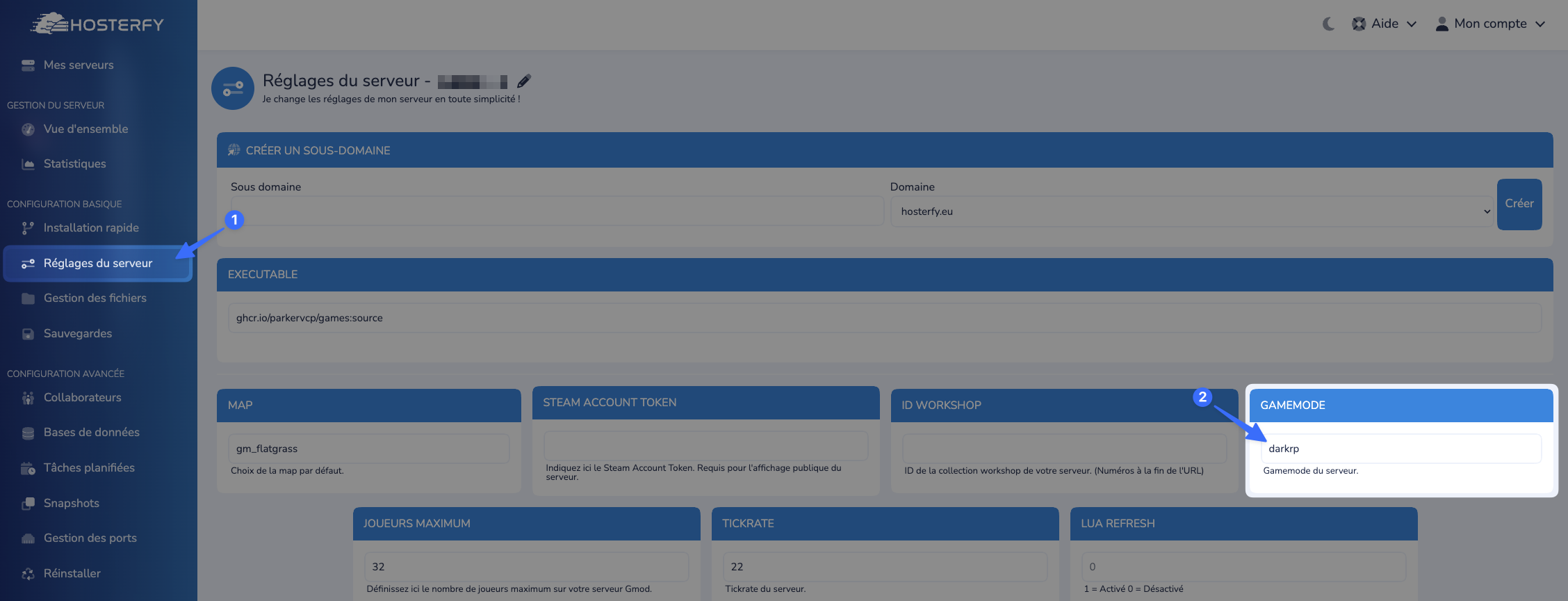
There you go, the DarkRP game mode is installed on your server!
Step 2: Download DarkRP-Modification
It is strongly advised not to modify the game mode directly through its files. To solve this, there is an addon: "DarkRP-Modification". This addon allows you to modify the game mode safely.
To install it, you need to go back to the "Quick Installation" tab, in the addons category, and select "DarkRP-Modification" from the list of available addons.
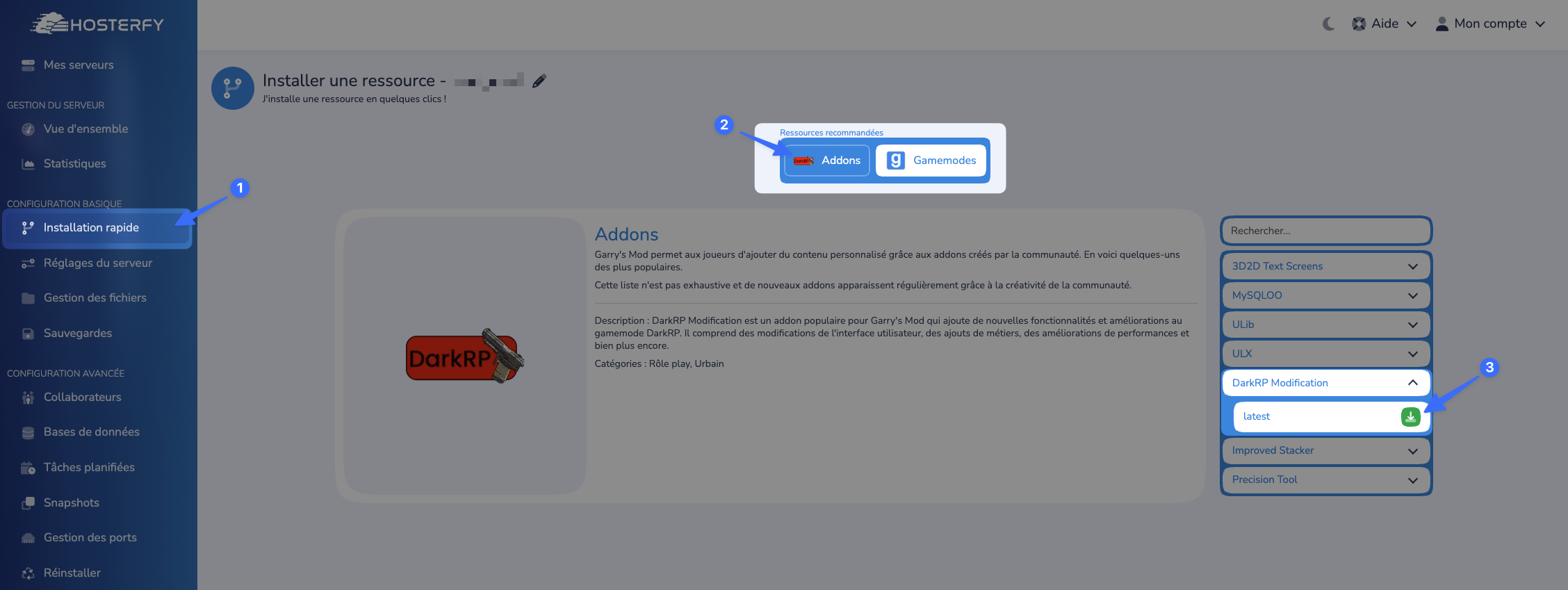
Once this is done, you will be able to modify the game mode's configurations via the darkrpmodification folder.
Step 3: Restart the Server
After performing all these steps, you just need to restart your server, and you're all set. Your DarkRP server is now ready to welcome players!
Don't have a server yet? Take advantage of the power of our AMD Ryzen servers for lag-free GMod server rental.
Frequently Asked Questions about DarkRP
Here are the answers to the most common questions after installing DarkRP.
How to become an admin on my GMod DarkRP server?
To grant yourself administrator rights, you must log in to the Hosterfy game panel, go to the "Console," and type the following command: ulx adduser YOURNICKNAME superadmin. Remember to install the ULX/ULib addon from the quick installer if it's not already done.
Feel free to join our Discord if you encounter any problems!





Post a comment
Comments