Server not visible on steam / server list
In this guide, we'll look at how to configure your Ark server to appear in the Steam server list.
Requirements
Ark is a special game, in that it requires 3 ports to run.
In short, you need 3 ports in sequence:
- Main port (delivered by default with your service)
- Secondary port 1
- Secondary port 1 (Query), which will be used to connect to Steam.
If you haven't already done so, start by asking Hosterfy support to obtain secondary ports for your server. If you already have your 3 ports, you can skip the next step.
Get additional ports
To get started, join the Hosterfy Discord, then issue the command /port in the #commands lounge. In the reason argument, specify “ARK”. If you don't have a Discord, you can also contact support via ticket on your customer area.
This type of request is usually processed within 24 hours.
Configuration
Once you've obtained your secondary ports (visible on your management panel via the Configuration > Ports tab), you can now start configuring your server to assign these ports.
To do this, simply assign the 3rd port (Query) in the “QUERY PORT” field via the Configuration > Startup options tab.
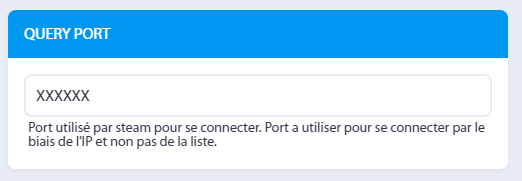
Click “Save”, and restart your server.
Wait a few minutes for Steam to index your server, then it will be accessible via the address gameX-en.hosterfy.com:PORT_QUERY.
Soon, this procedure will be automatic when you place an order for an Ark server.
Don't hesitate to ask on our discord if you encounter any problems!






Post a comment
Comments