
1-Click Installation

Serveur Replication Issues

Enjoy optimized hosting to play Replication Issues lag-free with your friends.

Replication Issues is a 10-stage expert modpack for NeoForge 1.21.1 focused on tight progression. From basic metallurgy to endgame crafts with Draconic Evolution and Avaritia, follow a deeply rewarding tech path. For the smoothest multiplayer experience with your friends, host your server on Hosterfy today!

Configuration & Guide
98% of customers are satisfied with our services
McModpack.heroAlt McModpack.heroAlt

Replication Issues

Get ready for an epic challenge with Replication Issues, an expert modpack built for NeoForge 1.21.1. Designed for fans of automation and structured progression, this pack revolves around the Replication mod across 10 quest chapters. Each chapter represents a matter tier, from Earth to Quantum, guiding you step-by-step through a carefully balanced tech tree where every mod depends on the last.
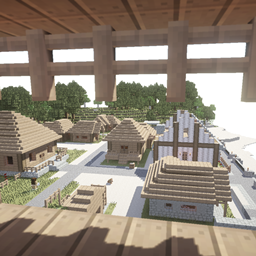
Your journey starts simple with early smelting via Productive Metalworks and Andesite Alloy from Create, followed by an expedition into the Undergarden. From there, Modern Industrialization takes you from primitive tools to electric motors, letting you bring your very first Replicator online. Mods like Mekanism, Applied Energistics 2, Ender IO, and Occultism are completely intertwined, requiring you to master each mechanic to unlock future tech.
The second half of the game ramps up the difficulty significantly. You will assemble complex circuits in PneumaticCraft, launch rockets with Ad Astra to harvest Desh and Calorite across space, and conquer unique dungeons on Glacio just to open the End portal. The ultimate endgame pushes your skills to the limit with Draconic Evolution and Avaritia as you craft endgame creative items.
To run these heavy tech setups seamlessly in multiplayer without lag, hosting your game on Hosterfy is highly recommended. A dedicated Hosterfy server ensures top-tier performance for your entire team throughout this massive journey!

📖 Installation Guide & Configuration

How to easily install and configure Replication Issues on your server and computer.

1. Player Side (your computer)

1

Install a Modded Launcher

Download and install a compatible launcher such as the CurseForge App, Modrinth Launcher, or Prism Launcher.

2

Download the Modpack

Search for Replication Issues in the launcher catalogue and click "Install". The launcher will automatically download all necessary mods.

3

Adjust Allocated RAM (optional)

In your launcher settings, allocate at least 6 GB to 8 GB of RAM to ensure smooth gameplay.

2. Server Side (Hosterfy hosting)

1

1-Click Installation

In your Hosterfy administration panel, go to the "Quick Install" tab, search for Replication Issues, and validate the automatic installation.

2

Start the Server

Start the server from your game console. The panel will automatically initialize all modpack files.

3

Connect and Play

Copy your server IP address from the Hosterfy panel, add it to your game's multiplayer list, and connect.

The success of your project, our priority

Our reputation shows everything ! No need to add more!

❓ Frequently Asked Questions (FAQ)

All answers to your questions regarding the hosting of the Replication Issues modpack

To play Replication Issues smoothly, we recommend our FyGame Extreme plan equipped with 8 of dedicated RAM. This modpack requires a high-frequency processor (like the Ryzen 9 9950X3D) to quickly load blocks and entities without tick lag.
Installing Replication Issues is completely automatic and can be done in 1 click from your Hosterfy admin panel. Go to the 'Quick Install' tab, search for the modpack name, click install, then start your server.
On the player side, it is highly recommended to allocate at least 6 GB to 8 GB of RAM in your launcher settings (CurseForge Launcher, Modrinth, etc.) to run Replication Issues. Allocating less memory may cause long loading times and frequent crashes.
Yes, all servers rented from Hosterfy benefit from our Premium and Unlimited Anti-DDoS protection. It instantly filters malicious network traffic targeting your Replication Issues server port, ensuring the continuity of your gaming sessions without unexpected disconnections.